
Brightness is the LED display specification most often misread, because the number that looks impressive on a datasheet is frequently the wrong number for the site. An indoor screen and an outdoor screen in sun differ by roughly an order of magnitude, and getting it wrong is expensive in both directions.
Too little brightness and an outdoor screen turns into a grey rectangle every sunny afternoon. Too much and an indoor screen glares at customers, burns power and wears out sooner. This guide sets out how many nits each kind of site needs, and the specifications that matter more than the peak figure.
What is a nit?
A nit is the unit LED display brightness is quoted in: one candela per square metre (cd/m²). It measures how much light a screen sends towards the viewer from each square metre of its face. Phones, laptops and TVs are rated in nits too, which gives you a reference point.
A typical laptop or office monitor runs at a few hundred nits. An outdoor LED screen in direct sun needs many times that, because sunlight falling on its face washes out the image unless the screen out-shines it.
The figure on a datasheet is usually the maximum the panel can reach at full white. A screen is rarely run there, and indoors it almost never should be. Brightness is also a separate decision from pixel pitch: pitch is chosen for viewing distance, brightness for the light the screen competes with.
How many nits do you need?
The answer depends on what the screen competes with: ceiling lights, open shade or direct afternoon sun. Each sets a different target, and buying more brightness than the site needs pays for glare and electricity rather than readability.
How bright a display needs to be, by setting
- IndoorLobbies, showrooms, menu boards600–1,200
- Outdoor, shadedCovered walkways, shaded fronts3,500–4,500
- Outdoor, direct sunSun-facing fronts and hoardings5,500–7,000
- NexGlow outdoor panelsScheduled down after dark4,500–7,000
Brightness in nits (cd/m²)
Indoors: 600–1,200 nits
An indoor display competes with ceiling lighting, not the sun. NexGlow’s indoor screens run at 600–1,200 nits: the lower end suits dimmer rooms such as conference rooms and auditoriums, the upper end bright shop floors and lobbies that take daylight through glazing.
Outdoors in shade or under cover: 3,500–4,500 nits
A screen under a canopy, in a covered walkway or otherwise out of direct sun can use 3,500–4,500 nits. Check the shade across the whole day, not only at the site visit: a wall shaded at 10 am may take full sun at 4 pm.
Outdoors in direct sun: 5,500–7,000 nits
A screen that takes direct sun needs 5,500–7,000 nits to stay readable in peak Indian afternoon glare. Below that, sunlight on the face overwhelms the image and the screen reads as a grey rectangle. This is where high-brightness panels earn their cost, and why outdoor specifications quote figures several times higher than indoor ones.
Orientation tells you a lot. A west-facing screen takes the low afternoon sun straight on its face, usually the hardest case, while a screen under a deep canopy may never see direct sun at all. NexGlow’s outdoor panels span 4,500–7,000 nits, so a panel can be matched to the sun the site actually gets rather than bought at the top of the range by default.
| Setting | What the screen competes with | Brightness to specify |
|---|---|---|
| Indoor: offices, restaurants, clinics, showrooms, lobbies | Ceiling lights, some daylight | 600–1,200 nits |
| Outdoor, in shade or under a covered walkway | Daylight, but no direct sun on the face | 3,500–4,500 nits |
| Outdoor, in direct sun | Peak afternoon glare | 5,500–7,000 nits |
| Inside a shop window, facing the street | Daylight through the glass, plus reflections | An outdoor-rated panel, matched to the sun on the glass |
| Any outdoor screen after dark | Street lighting | Scheduled down from the daytime level |
Why is too bright a problem indoors?
More brightness indoors is not better. Too much light from a screen in an enclosed space is genuinely unpleasant to stand near, which is why indoor installations are usually run well below their maximum. Excess brightness costs you in three ways:
- Glare. Customers in a restaurant, clinic or showroom stand a few metres from the screen. At full output it is uncomfortable to look at, and staff who work beside it all day notice first.
- Power. An LED screen draws more power the brighter it runs, so brightness the room does not need is electricity you pay for every hour the screen is on.
- LED life. LEDs lose brightness gradually with use, and running them harder and hotter speeds that up. A screen run at a sensible level keeps its brightness and colour for longer.
The practical approach is to buy an indoor panel with some headroom and set it well below maximum at commissioning. LED control systems let brightness be set in steps or on a schedule, so a screen can run brighter at midday and lower in the evening.
What about screens behind shop glass?
A screen inside a shop that faces the street through glass is an outdoor screen as far as brightness goes. The viewer stands outside in daylight, and the glass adds reflections on top of the sun falling on the screen.
Indoor panels at 600–1,200 nits wash out behind glass in direct sun. NexGlow recommends outdoor-rated panels for storefront and window-facing installations, even though the screen itself sits indoors.
The mistake is easy to make, because the screen is physically inside and an indoor panel costs less. It can look fine when tested in the evening and wash out in the afternoon sun. A sunlit window bay also traps heat, so ask how the screen behind the glass will be ventilated.
Shopfront screens raise other decisions too, from pitch to mounting. LED displays for shops and showrooms covers them.
Automatic dimming and night scheduling
Ask whether an outdoor display has automatic brightness adjustment. An outdoor screen that runs at full output after dark is a nuisance to neighbours and, in many municipalities, a compliance problem.
A light sensor that steps brightness down at dusk is standard on serious outdoor product and worth confirming is included. Scheduling does the same job by the clock, and NexGlow’s outdoor screens can be scheduled down after dark.
A light sensor and a schedule work well together: the sensor follows cloud and shade during the day, while the schedule fixes a night level and a switch-off time. Settle these before installation:
- A night brightness level low enough not to light up neighbouring homes.
- A switch-off time, if the site does not need to run overnight.
- Who can change the settings later, and whether that is done on site or remotely.
Ask to see the screen at its night setting during handover. Some panels lose smooth shading when dimmed hard, so dark scenes and gradients turn patchy. Dimming also saves power and LED life, because the screen spends fewer hours at full output.
Sustained vs peak brightness: which figure counts?
A datasheet brightness figure is often a peak: what the panel reaches at full white, when new. What matters on site is the brightness the screen can hold, hour after hour, through a Gujarat afternoon.
Confirm the quoted brightness is sustained, not a peak figure, and ask how the display is tested before handover. NexGlow’s 15 × 10 ft large-format outdoor display for Petlad Nagar Palika went through 48 hours of continuous testing at full brightness before it was handed over.
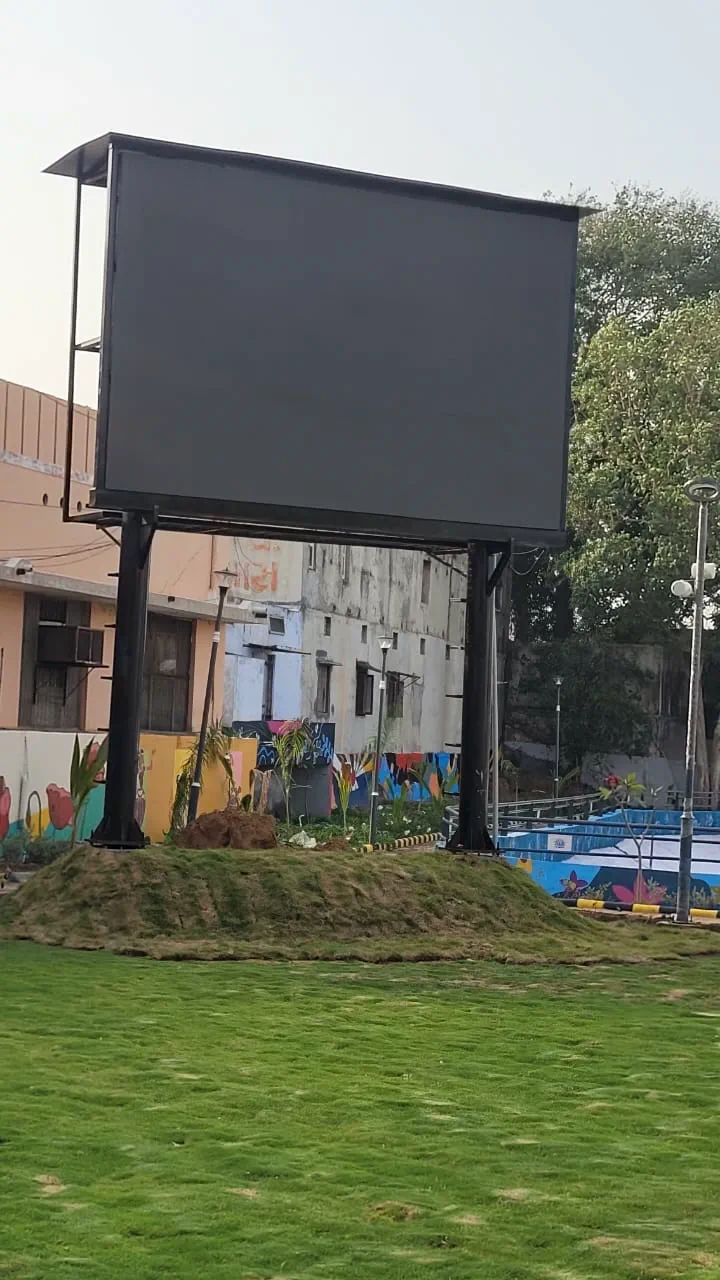
Headroom matters over the years too. Premium outdoor LED panels are rated for 100,000+ hours, about 11 years at 24/7 or 30+ years at typical advertising duty cycles, and LEDs dim gradually across that life. A panel with brightness to spare above your site’s minimum stays readable for longer.
How much power does brightness cost?
Ask what the display draws at typical brightness, not only at maximum. Typical draw is the number your electricity bill follows.
Datasheets quote maximum power: every LED lit white at full brightness. Real content mixes colours and dark areas, and a well-set screen spends most of its hours below full brightness, so its average draw sits well below the maximum.
You need both figures, for different jobs. Size the electrical supply and wiring for maximum draw, because that is what the screen can pull at any moment. Estimate running costs from typical draw:
- Ask for the typical power draw in kW for your screen size and settings.
- Multiply by the hours the screen runs each day.
- Multiply by your electricity tariff per unit (kWh) to get the daily running cost.
Automatic dimming and a night schedule lower the typical figure further. That is one more reason to confirm both are included before you sign.
A storefront screen vs an indoor menu board
Gusto’s Pizzeria at Ellora Park has an 18.89 × 2.62 ft outdoor storefront LED strip. A storefront screen facing the street competes with daylight, so the outdoor bands apply, along with a plan for dimming after dark.
A menu board inside a café is the opposite case. Customers read it from a few metres away under the café’s own lights, so the indoor band applies, and a menu screen run well below its maximum stays comfortable to read up close.
Where the menu faces the street, it is an outdoor screen again. Trinity Cafe in Alkapuri runs its menu on an LED screen on a pole outside the café, where it competes with daylight like any storefront display.
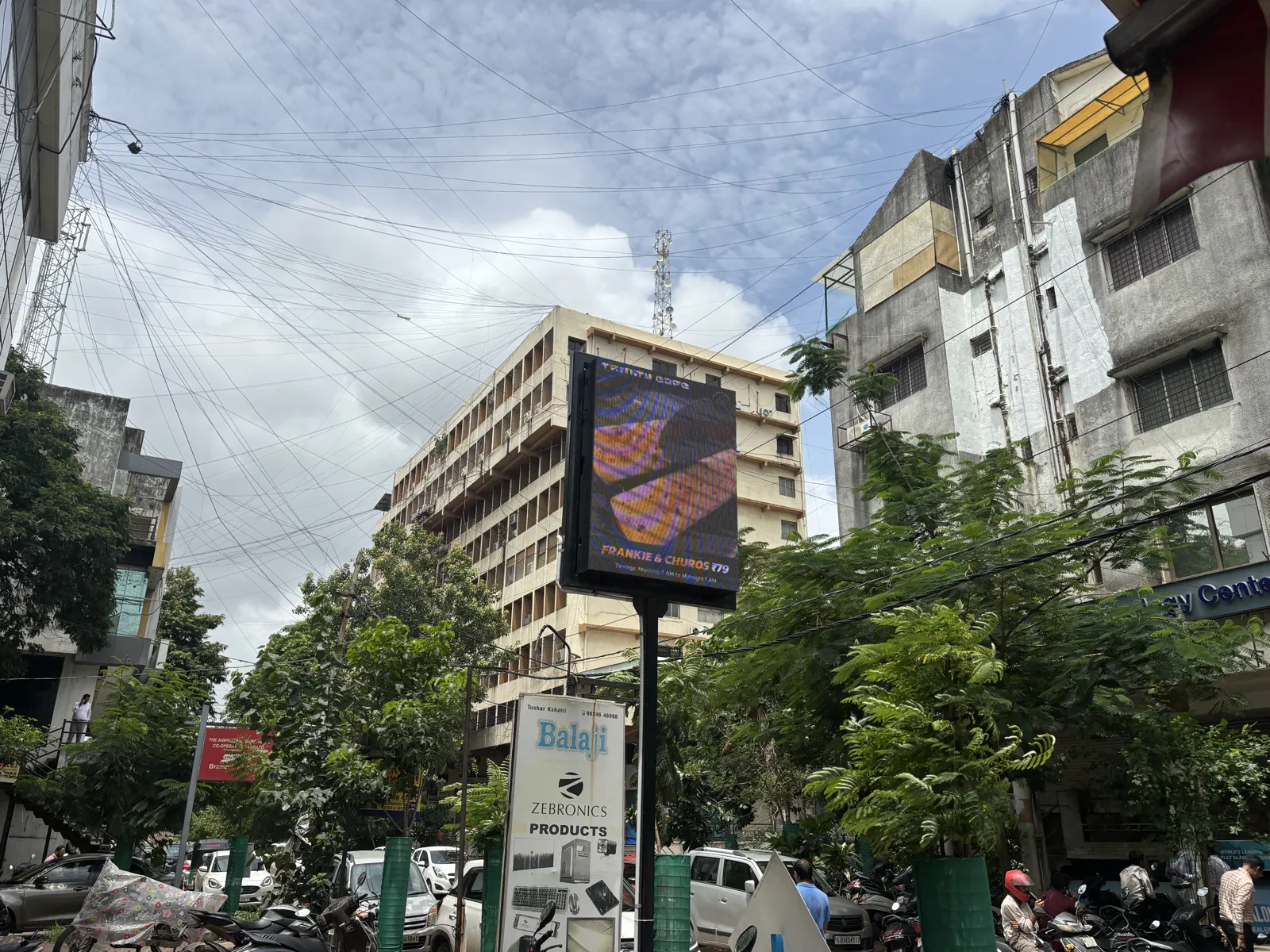
Swap the two panels and both installations would fail. An indoor panel washes out facing a sunlit street, and an outdoor panel run at full output would glare across a cafe.
Brightness checklist before you sign
- Note what light falls on the screen at the brightest time of day: ceiling lights, open shade or direct sun.
- Match the nits: 600–1,200 indoors, 3,500–4,500 in shade or under cover, 5,500–7,000 in direct sun.
- If the screen faces the street through glass, specify an outdoor-rated panel.
- Confirm the quoted brightness is sustained, not a peak figure.
- For anything outdoors, confirm automatic dimming is fitted and agree a night level and a switch-off time.
- Ask for power draw at typical brightness as well as maximum, and size the supply for maximum.
- Ask how long the display runs at full brightness before handover.
Put the answers in writing in the quote itself. What to ask for in an LED display quote covers the rest of the scope, from structure to warranty.
Questions buyers ask
How many nits does an outdoor LED screen need?
An outdoor screen in direct sun needs 5,500–7,000 nits to stay readable in peak Indian afternoon glare. One in open shade or under a covered walkway can use 3,500–4,500 nits. NexGlow’s outdoor panels span 4,500–7,000 nits, and their brightness can be scheduled down after dark so the screen does not glare at night.
How bright should an indoor LED screen be?
NexGlow’s indoor screens run at 600–1,200 nits, which covers dim conference rooms through to bright, daylit shop floors. Indoors the screen competes with ceiling lights, not the sun, so it is usually set well below its maximum. Running an indoor screen brighter than the room needs causes glare, wastes electricity and shortens LED life.
Can I put an indoor LED screen in my shop window?
An indoor LED screen in a shop window works only if sunlight never reaches the glass. Indoor panels at 600–1,200 nits wash out behind glass in direct sun, so a screen that looks fine in the evening can be unreadable in the afternoon. NexGlow recommends outdoor-rated panels for storefront and window-facing installations, even though the screen sits inside the shop.
Will an LED screen outside my shop disturb neighbours at night?
An outdoor LED screen can disturb neighbours if it runs at daytime brightness after dark, and in many municipalities that is also a compliance problem. A light sensor that steps brightness down at dusk, plus a schedule that sets a night level and a switch-off time, prevents both. NexGlow’s outdoor screens can be scheduled down after dark.
What is the difference between peak and sustained brightness?
Peak brightness is the highest figure a panel reaches, at full white, usually when new. Sustained brightness is what it can hold for hours in real conditions, such as a Gujarat afternoon. Ask for the sustained figure in writing and ask how the display is tested: NexGlow’s 15 × 10 ft display for Petlad Nagar Palika ran 48 hours of continuous testing at full brightness before handover.
Does a brighter LED screen use more electricity?
Yes. An LED screen draws more power the brighter it runs, so brightness beyond what the site needs adds to the bill every hour the screen is on. Ask for power draw at typical brightness as well as maximum: size the electrical supply for maximum, and estimate running costs from typical. Automatic dimming and night scheduling bring the average down further.
Working out a specification?
Send us the wall or the space, how far away people will be and what you need on screen. You get a fixed, all-inclusive quote.
Request a Quote- LED screen guide: how to choose the right displayWe consult and guide you in selecting the ideal LED display for your requirement: pixel pitch by viewing distance, which pitch suits which job, and what decides the cost.
- Indoor vs outdoor LED displays: what actually changesBrightness, weather sealing, pixel pitch, structure and cost: what separates an indoor LED screen from an outdoor one, and how to treat shop windows and covered walkways.